

Quickstart
Your first qialike session — the hero screen, session semantics, workspaces, model choice, and the memory and sandbox prerequisites.
First run
Open a terminal in the directory you want the agent to work in, and start it:
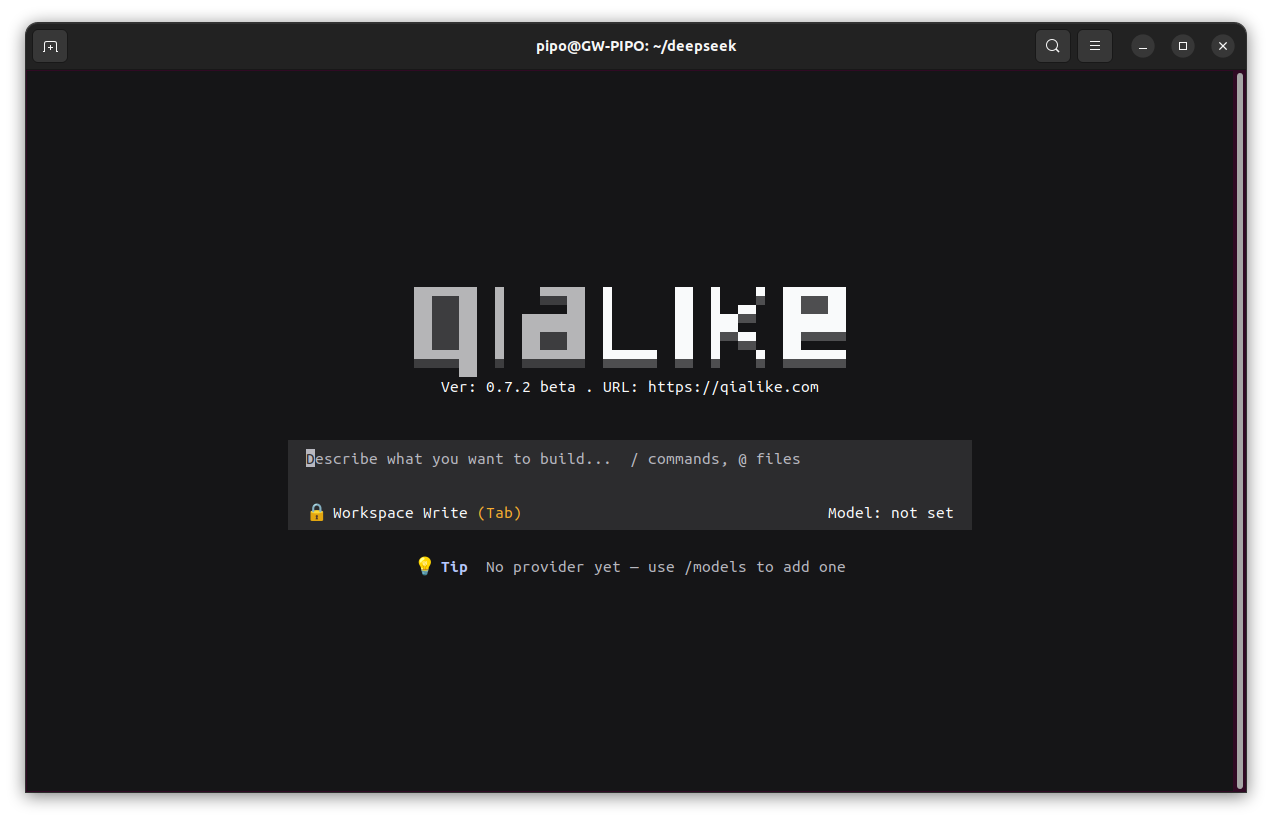
cd ~/projqialikeA bare qialike starts a new session and shows the hero screen — it never auto-resumes.
The hero is a brand plate (the wordmark, the headline Into the Unknown, the caption
qialike.cn) with a centered composer card whose placeholder advertises the two affordances it
offers: / for commands and @ for file references. With no model configured yet the hero says
No provider yet — use /models to add one and the model label reads not set; /models adds one
and the current screen becomes usable without a restart.
A real session needs a model key. Type /models in the TUI, pick a provider and fill in its key:
/models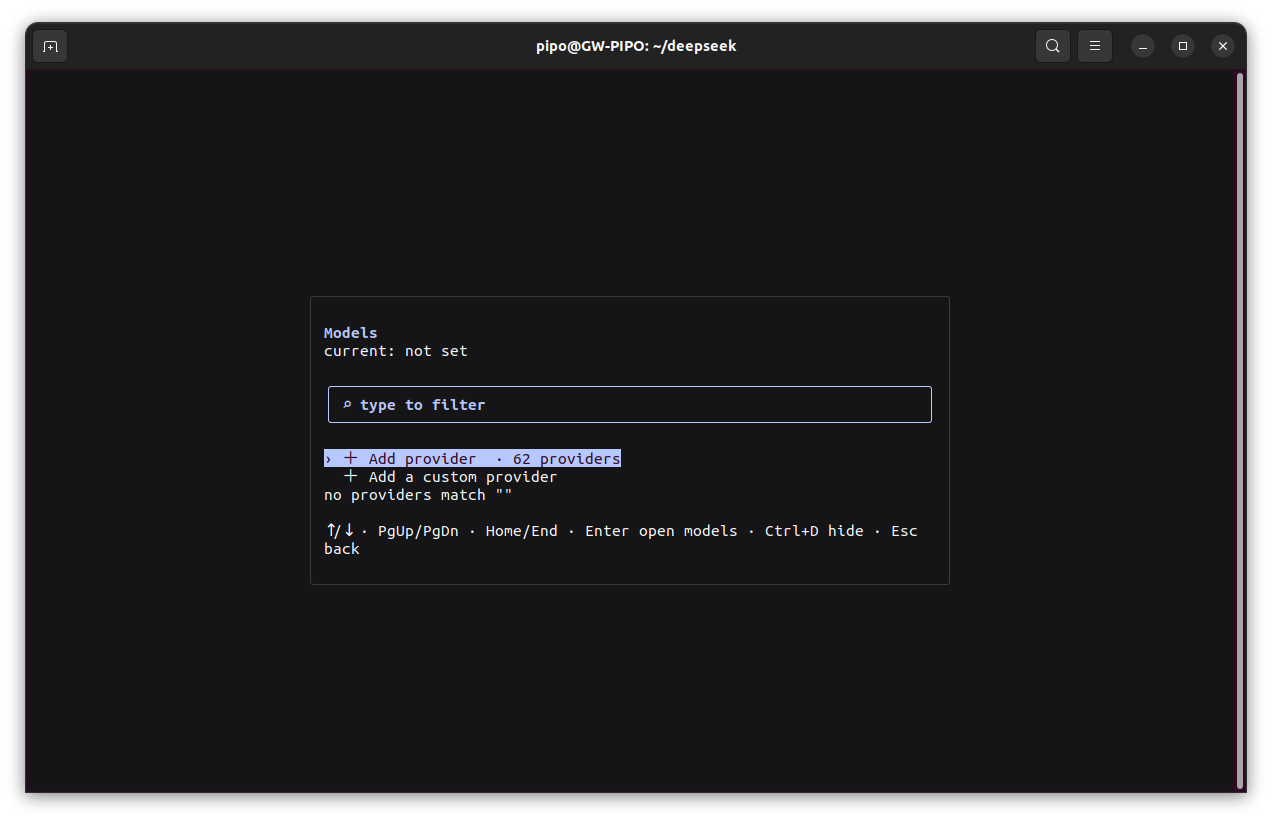
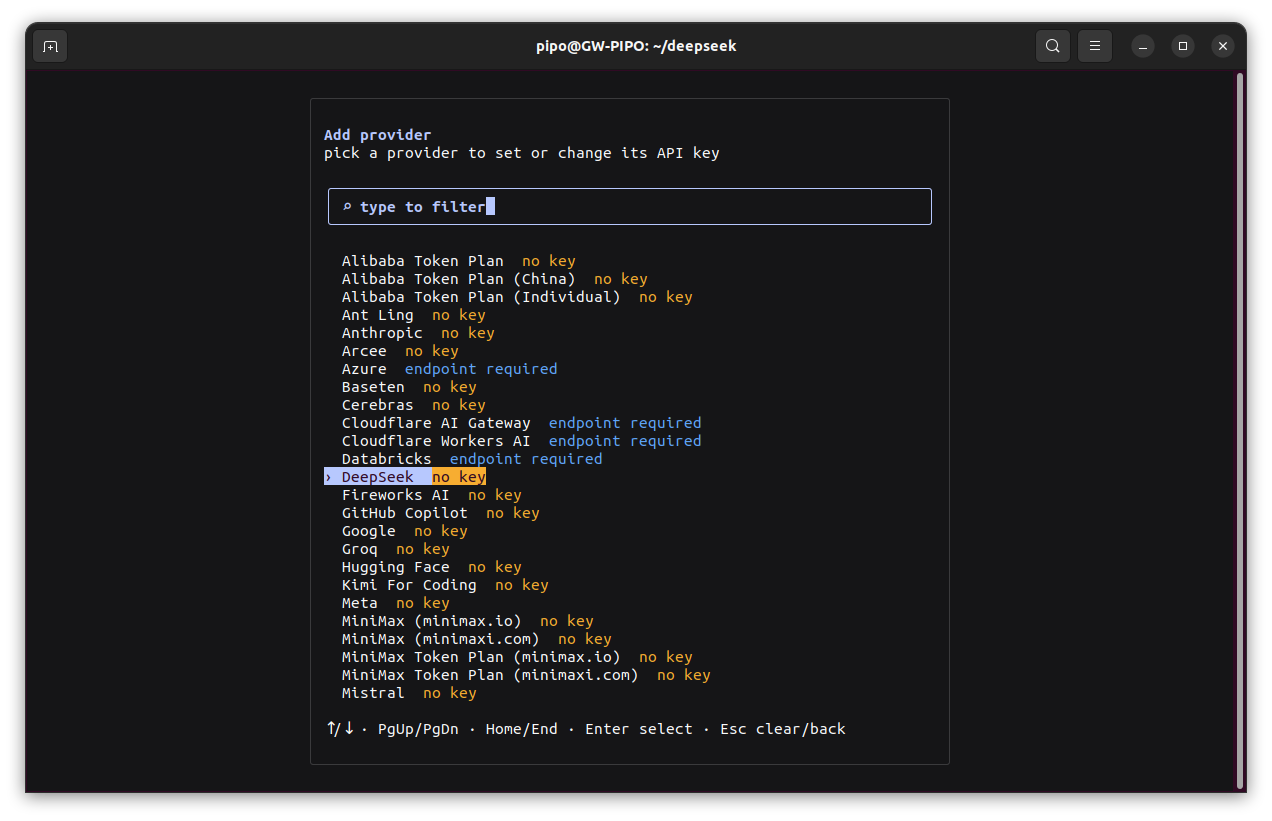
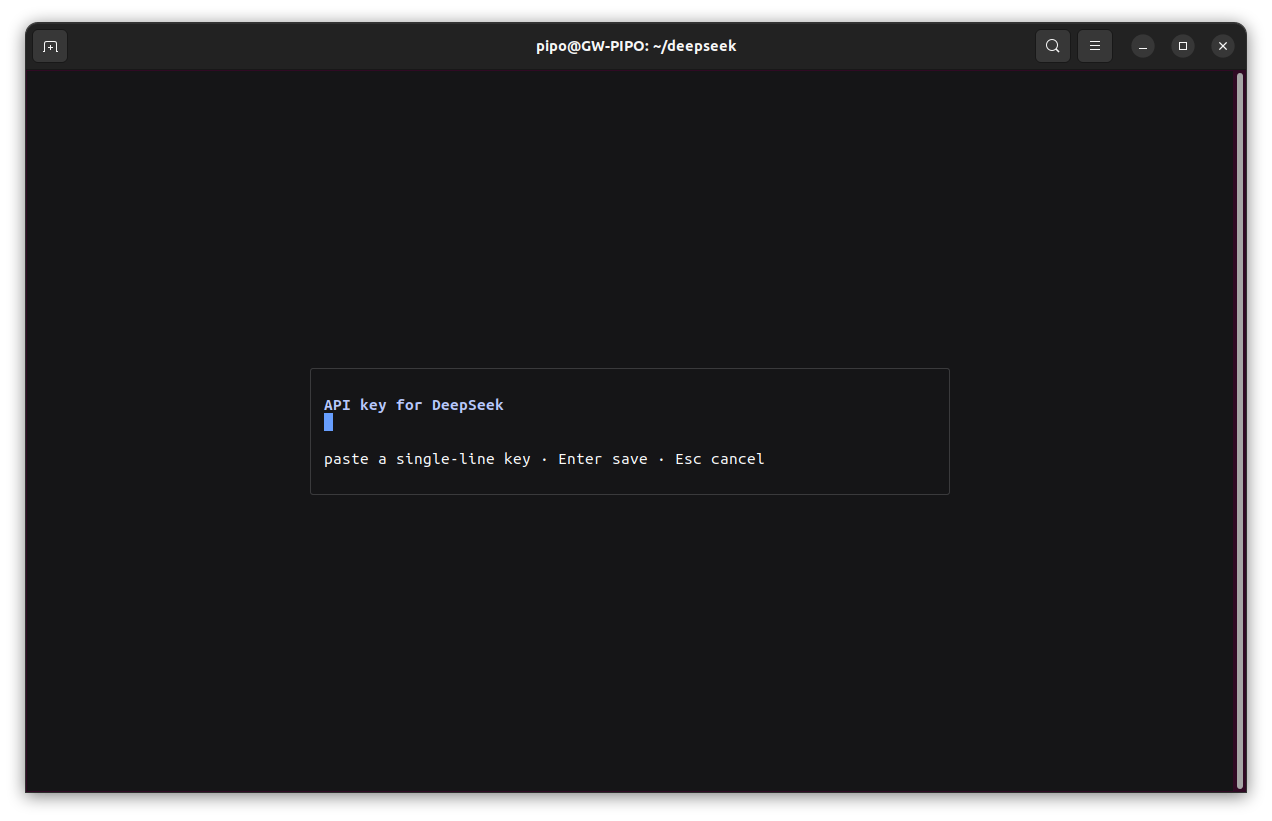
A key can also come from the settings/credentials under ~/.dsh or a .env file in the workspace.
Type your first request into the card and press Enter to start the task. The agent starts working
in the current directory, streams its answer into the transcript, and the hero gives way to the
conversation view with the transcript above and the composer docked below.
Sessions live in a directory
Sessions are per working directory. Two invariants explain almost all of the behaviour you will see:
- A bare
qialikealways opens a fresh session. It reuses the unused New Session placeholder if one exists, but it does not fall back into an old conversation. qialike resumecontinues the most recently used session in the same directory (last-activity first) and lands directly in the conversation view. When no session in that directory has content yet, it still opens the session view rather than the hero.
qialike resume # continue the newest session in this directoryqialike --resume <sessionId> # open one specific persisted sessionResuming a session — or sending it a message — marks it most-recently used, and the status line
shows the resume as (resumed). An explicit --resume <sessionId> always wins over resume.
The /sessions dialog is the session manager: it lists persisted sessions of the current
working directory only, newest first and grouped by creation day, with live type-to-filter over
titles and ids. Enter resumes the highlighted session, Ctrl+R renames it, Ctrl+F pins or
unpins it, and Ctrl+D deletes it (twice, to confirm; the live session is protected). It lists
historical records only — starting a brand-new session is /new’s job.
/new starts a fresh session in place: the current turn is cancelled, a new agent is created,
and the previous conversation stays reachable from /sessions or from --resume. Your model
selection and workspace carry over.
Auto-resume on every launch (opt-in)
Auto-resuming on every launch is off by default. Turn it on with either:
{ "resume_last": true}QIALIKE_RESUME_LAST=1 qialikeWhen the environment variable is set at launch, the value is also written back into the config file, so it persists for later runs without the variable.
Work in a workspace
The workspace is the directory the agent operates in. It defaults to the invoking directory and can be overridden:
qialike --workspace ~/projEach workspace keeps its own sessions and its own New Session placeholder, so --workspace is
the supported way to keep unrelated projects apart.
Browser UI and headless / remote access
qialike web runs the installed dsh CLI, which should be at least the harness version embedded in
your qialike build: both sides read and write the same ~/.dsh/sessions logs, and an older dsh
reader mistakes the newer range-compressed sourceEventSeqs for corrupt history
(SessionPersistenceCorruptionError). dsh has to be on PATH, or pointed at by $QIALIKE_DSH;
qialike web preflights it and prints the matching install command when it is missing, exiting
without starting the server when the version differs.
dsh web binds 127.0.0.1:3080, prints one URL carrying a per-run auth token
(http://127.0.0.1:3080/?token=…) and opens it in the default browser. Use that URL: without
the token the server answers 401 dsh web authentication required; reopen the URL printed by dsh web., and the auth cookie is valid only for the authority it was issued for
(127.0.0.1:3080 and localhost:3080 are different authorities), so pick one hostname and stay on
it.
Serve locally, browse from another machine
Keep the default loopback binding and tunnel from the machine that has the browser — the service is
never exposed to the network. Do not serve --host 0.0.0.0 directly: the web profile refuses it
outright (error: --host 0.0.0.0 is intentionally not supported yet …).
# on the headless / terminal-only host (no local browser, hence --no-open)qialike web --no-open                  # note the printed http://127.0.0.1:3080/?token=… URL
# on the machine with the browserssh -L 3080:localhost:3080 user@headless-host# then open the printed URL in the local browser
If 3080 is taken locally, change only the local mapping — the server needs no restart and the
token URL does not change: ssh -L 8080:localhost:3080 user@headless-host, then open
http://127.0.0.1:8080/?token=…. Only a conflict on the server side calls for
qialike web --port <n>, together with a new tunnel target and URL.
Choose a model
/models opens the model manager — a two-level dialog that groups providers first and drills
into a provider’s model list with Enter. It shows every provider whose API key is set, with
live type-to-filter, PgUp/PgDn/Home/End for long lists, and Esc to back out. Picking a
model saves it: the live session switches on the next request and the choice becomes the
persisted default.
For models that declare reasoning effort, the picker first opens an Effort step
(Off / Low / High / Max for the built-in DeepSeek routes); the choice persists and rides on every
request. From the main window, Ctrl+T (Alt+T where the terminal takes Ctrl+T) cycles the
current model’s effort without opening the dialog.
To bring your own provider keys, see Models.
Memory
The compiled binary is efficient but not tiny. Measured across the whole process tree, after 12 seconds idle:
- ~250–290 MB peak while starting the hero;
- ~330–345 MB peak while loading a very large session, settling at ~170 MB (hero) to ~225 MB (long conversation) resident.
≥1 GB of RAM is recommended. 512 MB works but is tight, and below 512 MB is unsupported. The
runtime is Bun/JSC, which does not return freed pages eagerly, so RSS creeps up with use and then
plateaus — that is GC policy, not a leak. BUN_JSC_collectContinuously=1 is the supported
mitigation on a constrained box, at the cost of more frequent GC. See
Configuration and Troubleshooting.
Sandbox prerequisites
Confined bash runs through bwrap (bubblewrap) first, and needs a kernel with unprivileged
user namespaces. Where bubblewrap is missing, qialike falls back to its own Landlock rung, which
needs the Landlock LSM enabled in the kernel (≥5.13). Only when both rungs are unavailable does
SANDBOX_UNAVAILABLE appear: the app boots as usual and every non-shell tool works, but each
workspace-write / read-only bash call fails closed instead of running unconfined — only
danger-full-access runs. Where the executor offers no kernel confinement at all, per-call
shell approval takes over — the prompt states that the command has your full user authority. On
Windows the harness’s ACL restricted-token runner provides the same OS-level boundary, and macOS
uses the built-in Seatbelt. The full story is in Permissions.
Terminal colour depth
The theme’s colours are hex values handed to Ink/chalk, and chalk decides the depth from the
environment. If your terminal is 24-bit capable but exports no COLORTERM, qialike drops to the
256-colour band:
export COLORTERM=truecolor# or, for this run only:QIALIKE_COLOR=24bit qialikeOn a 16-colour terminal the dark scheme’s composer card and the page are both black — the palette has no second near-black to offer. That is a design degradation that cannot be fixed: use it to preview a low-colour terminal, not as a daily driver. See Config and Troubleshooting.
Where your state lives
Everything qialike persists lives under $DSH_HOME (default ~/.dsh):
qialike.json— the TUI’s own config (resume_last,sidebar_mode, hidden providers).sessions/— the durable session logs, shared with the harness web surface..credentials.yaml— provider API keys stored by the/modelsdialog.themes/— user colour schemes (~/.dsh/themes/*.json).qialike.log— logs, including[watchdog]and[row]lines from the render loop; it rotates to.log.1past a threshold.